

Install the MechCommander Editor on Win 10/11
MechCommander's editor needs a little TLC to run.
You will need:
* an installable copy of MechCommander. This can be the original CD, the vanilla game image, or one of the mod packs as long as the game can be installed (and the editor, there are two installers). It shouldn't matter.
* WineVDM. github
* VC Redists installed. majorgeeks (any non shady compilation should do)
* The better editor files (for more options, not required) moddb
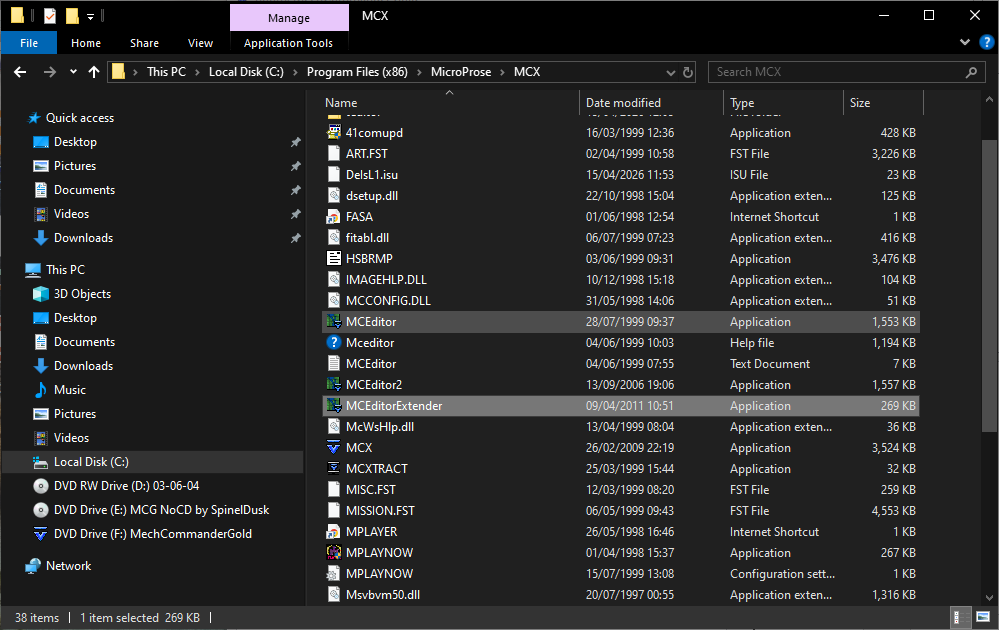
To install, you will need to run WineVDM in Windows XP compatibility mode. This step is crucial. With WineVDM, run the main game setup. Install normally, but I suggest not installing in Program Files to avoid UAC problems. Then, install the editor. Add the better editor files for a better mapping experience. Make sure the Redists are installed. The editor should now run normally.
A good repack of mechcommander would redo the setup with a new installer, updated files, all dependencies etc. I don't think a repack like this exists. Maybe I or someone will make it eventually but for now, here it is.
I'm not sure which versions of vcredist exactly are required, hence the 'kitchen sink' suggestion. Wouldn't hurt to try one at a time and find out if you want to refine this guide.
Subject to change because other people have needed to do extra steps.
Take your modding to the next level: cmunsta collection
Installing the game will not change any versions you play as long as you don't overwrite them when installing.
Rizzan's DH or Prometheus packs include the extended editor files, if that's the environment you want to use.


 www.moddb.com
Download
MechCommander's editor needs a little TLC to run.
You will need:
* an installable copy of MechCommander. This can be the original CD, the vanilla game image, or one of the mod packs as long as the game can be installed (and the editor, there are two installers). It shouldn't matter.
* WineVDM. github
* VC Redists installed. majorgeeks (any non shady compilation should do)
* The better editor files (for more options, not required) moddb
To install, you will need to run WineVDM in Windows XP compatibility mode. This step is crucial. With WineVDM, run the main game setup. Install normally, but I suggest not installing in Program Files to avoid UAC problems. Then, install the editor. Add the better editor files for a better mapping experience. Make sure the Redists are installed. The editor should now run normally.
Why this way?
The base game installer is a 16 bit program. WineVDM is needed to get it to run. This is a dependency for the editor installer, which is 32 bit and needs no extra steps. With both installed the editor will have the dependencies it needs. The redists (if not already on your system) are needed because they provide more stuff the editor needs.A good repack of mechcommander would redo the setup with a new installer, updated files, all dependencies etc. I don't think a repack like this exists. Maybe I or someone will make it eventually but for now, here it is.
I'm not sure which versions of vcredist exactly are required, hence the 'kitchen sink' suggestion. Wouldn't hurt to try one at a time and find out if you want to refine this guide.
Subject to change because other people have needed to do extra steps.
Keep in mind
The editor is extremely limited. Simple objectives, 45 unit placement cap, an asset placement cap you only learn about when you try to save after exceeding it, no built in scripting. Recommended use is for simple maps, multiplayer maps, or visual reference to help in campaign design.Take your modding to the next level: cmunsta collection
Installing the game will not change any versions you play as long as you don't overwrite them when installing.
Rizzan's DH or Prometheus packs include the extended editor files, if that's the environment you want to use.
mechcommander installing mceditor on wi n10 Search
Search the sites game, mod, feature, news and download archives via an engine powered by Google Coop.
Download
Attachments
Last edited: